15 Mobile App Interface Design Mistakes to Avoid for Better User Experience

TL;DR
- A well-designed mobile app interface improves engagement, retention, and conversions.
- Avoid common mobile app UI design mistakes like confusing navigation, cluttered layouts, and poor accessibility.
- Follow Android and iOS design guidelines to create intuitive mobile app user experiences.
- Optimize performance, simplify onboarding, and continuously test with real users.
- Partnering with an experienced mobile app development company helps build scalable, user-centric applications.
Your mobile app has only a few seconds to make a lasting impression. If users find the interface confusing, cluttered, or slow, they’ll likely abandon it before discovering what your app has to offer.
That’s why mobile app interface design is one of the most critical aspects of mobile app development. An intuitive interface helps users complete tasks effortlessly, improves engagement, increases retention, and strengthens brand trust. In contrast, poor mobile app UI design creates friction, lowers App Store ratings, and negatively impacts conversions.
Whether you’re launching a new product or improving an existing application, investing in thoughtful mobile app interface design can directly influence your business success. Working with an experienced mobile app development company also ensures your application balances visual appeal with usability and performance.
Why Mobile App Interface Design Matters for Business Success
A mobile app interface is much more than colors, icons, and typography. It’s the bridge between your users and your product.
A well-designed interface enables users to navigate effortlessly, complete actions quickly, and enjoy a smooth digital experience. Businesses that prioritize UI/UX design often see higher customer satisfaction, better retention, and increased revenue.
An effective interface helps businesses:
- Improve user engagement and retention
- Increase conversions and customer satisfaction
- Build credibility and brand trust
- Reduce user frustration and support requests
- Improve App Store and Google Play ratings
As user expectations continue to evolve, investing in mobile app interface design has become a competitive advantage rather than an optional feature.
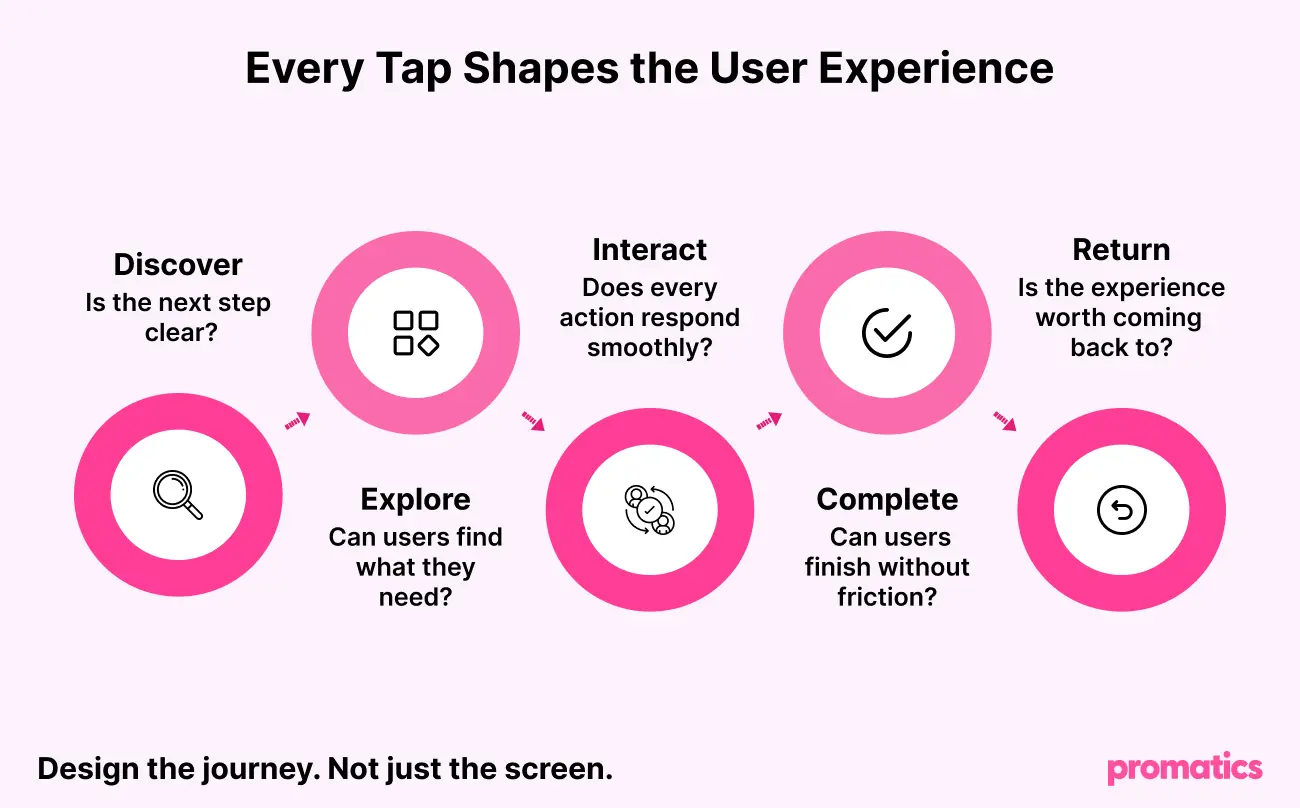
What Makes a Great Mobile App Interface?
Successful mobile app development focuses on usability before aesthetics. While visual appeal attracts users, a seamless experience keeps them engaged.
A great mobile app interface should include:
- Simple and clutter-free layouts
- Intuitive navigation
- Consistent visual components
- Fast loading interactions
- Accessible design
- Immediate feedback for user actions
These principles create intuitive experiences that improve usability and reduce user frustration throughout the mobile app development lifecycle.
15 Common Mobile App Interface Design Mistakes
1. Complicated User Onboarding
Many applications overwhelm users with lengthy tutorials, mandatory sign-ups, and multiple permission requests before they can experience the app’s value.
Why it’s a problem
Long onboarding flows create friction and increase abandonment rates.
How to fix it
- Keep onboarding short and interactive.
- Highlight only essential features.
- Allow users to explore before registration whenever possible.
- Ask for permissions only when users need specific functionality.
2. Confusing Navigation
Users should never struggle to locate important features. Navigation directly influences the overall mobile app user experience, making it one of the most critical aspects of mobile app interface design.
Common issues
- Too many navigation options
- Hidden menus
- Unclear icons
- Inconsistent layouts
How to fix it
Use familiar navigation patterns such as bottom navigation bars or tab navigation. Keep menu labels descriptive and prioritize frequently used actions.
3. Cluttered Interface
Trying to display every feature on one screen creates unnecessary complexity.
Why it hurts usability
Information overload forces users to spend more time searching for important actions instead of completing them.
Best practice
Use whitespace effectively, organize related content logically, and highlight only the most important actions.
A clean mobile app interface improves readability and creates a more enjoyable mobile app user experience.
4. Poor Visual Hierarchy
Every screen should naturally guide users toward the most important action.
Without proper hierarchy, users struggle to determine where to focus.
How to fix it
Use typography, spacing, color, and button styles strategically to emphasize primary actions while minimizing distractions.
A strong visual hierarchy is one of the core mobile app design best practices.
5. Small Touch Targets
Tiny buttons and closely spaced interactive elements make applications difficult to use, especially on smaller devices.
Design larger tap targets with adequate spacing to improve mobile app usability and reduce accidental taps.
6. Ignoring Accessibility
Accessibility should be part of every mobile app interface design strategy. Inclusive applications provide better experiences for all users while meeting modern UI/UX design standards.
Best practices
- Use readable typography.
- Maintain accessible color contrast.
- Support dynamic text scaling.
- Ensure compatibility with assistive technologies.
Following these mobile app design best practices helps businesses reach a wider audience while improving mobile app usability.
7. Inconsistent Design Elements
Users expect consistency across every screen. Frequently changing colors, buttons, typography, or navigation patterns creates confusion and reduces trust.
Adopt a reusable design system with standardized user interface design components and consistent interaction patterns.
Consistency improves usability while making future updates easier during mobile app development.
8. Slow Interface Performance
Even the most visually appealing interface fails if it responds slowly. Performance is a critical part of mobile app development because users expect fast, seamless interactions.
Optimizing mobile app performance through image optimization, lazy loading, and efficient API management creates smoother experiences and improves long-term user retention.
9. Lack of User Feedback
Users should always know what’s happening after they tap a button or submit a form. Providing immediate feedback builds confidence and creates a smoother mobile app user experience.
Common issues
- Buttons appear inactive
- No confirmation after completing an action
- Missing loading indicators
- Unclear success or error messages
How to fix it
Use animations, progress indicators, toast notifications, and confirmation messages to reassure users that their actions have been completed successfully. Responsive feedback is a key principle of mobile app interface design.
10. Requesting Too Many Permissions
Asking for access to the camera, contacts, location, and notifications immediately after installation often discourages users and reduces trust.
Best practice
Request permissions only when users need a specific feature, and clearly explain why the permission is required. This improves transparency and enhances the overall mobile app user experience.
11. Weak Error Messages
Generic messages like “Something went wrong” don’t help users resolve issues.
Better approach
Write clear, action-oriented messages that explain the problem and guide users toward a solution.
Instead of
Error occurred.
Use
Unable to connect. Please check your internet connection and try again.
Helpful error messages reduce frustration and improve mobile app usability.
12. Ignoring Platform Guidelines
Android and iOS users expect familiar interactions. Ignoring platform-specific design conventions increases the learning curve and creates inconsistent experiences.
Best practices
- Follow Material Design guidelines for Android.
- Follow Apple’s Human Interface Guidelines for iOS.
- Maintain brand consistency while respecting native platform behaviors.
Following platform standards is one of the most effective mobile app design best practices for improving usability.
13. Poor Empty States
Every application has moments when there’s no content to display. Blank screens confuse users and make the app feel unfinished.
Improve empty states by
- Explaining why the page is empty
- Adding relevant illustrations or icons
- Suggesting the next action
- Including a clear call-to-action
Well-designed empty states keep users engaged and contribute to a better mobile app interface.
14. Skipping User Testing
Even the best-looking interface may contain usability issues that only real users can identify.
Test before launch
- Observe users completing common tasks.
- Identify navigation issues.
- Collect usability feedback.
- Improve the interface based on real user behavior.
Continuous testing helps optimize mobile app interface design, improve engagement, and reduce costly redesigns after launch.
15. Designing Without Business Goals
A visually appealing interface alone won’t deliver business success if it doesn’t encourage meaningful user actions.
Every screen should support a clear objective, whether it’s making a purchase, booking a service, completing registration, or increasing engagement.
Successful mobile app development combines user needs with measurable business goals to maximize ROI.
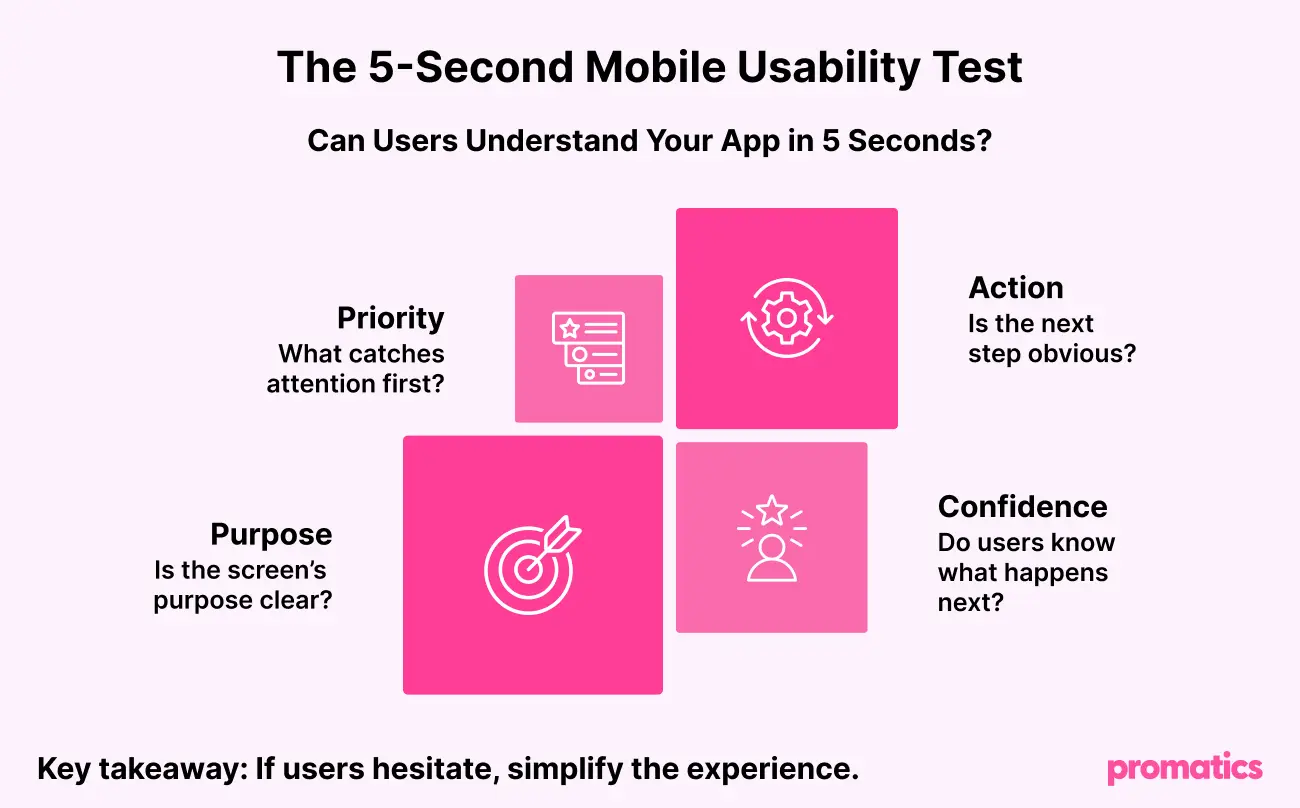
Mobile App Interface Design Best Practices
Creating a successful mobile application requires more than avoiding common mistakes. Follow these proven mobile app design best practices to deliver intuitive and engaging user experiences.
- Keep navigation simple and predictable.
- Prioritize accessibility from the beginning.
- Maintain consistent typography, colors, and UI components.
- Optimize mobile app performance across devices.
- Use clear calls-to-action.
- Minimize unnecessary user input.
- Follow Android and iOS design guidelines.
- Continuously improve the interface using real user feedback.
Whether you’re building a native application or investing in cross-platform app development, usability should always remain a top priority.
Mobile App Interface Design Checklist Before Launch
| Checklist | ✓ |
| Is the navigation intuitive? | Yes |
| Are buttons easy to tap? | Yes |
| Does the interface follow Android and iOS guidelines? | Yes |
| Is the app accessible to all users? | Yes |
| Are loading states and feedback clear? | Yes |
| Are permissions requested contextually? | Yes |
| Has the interface been tested with real users? | Yes |
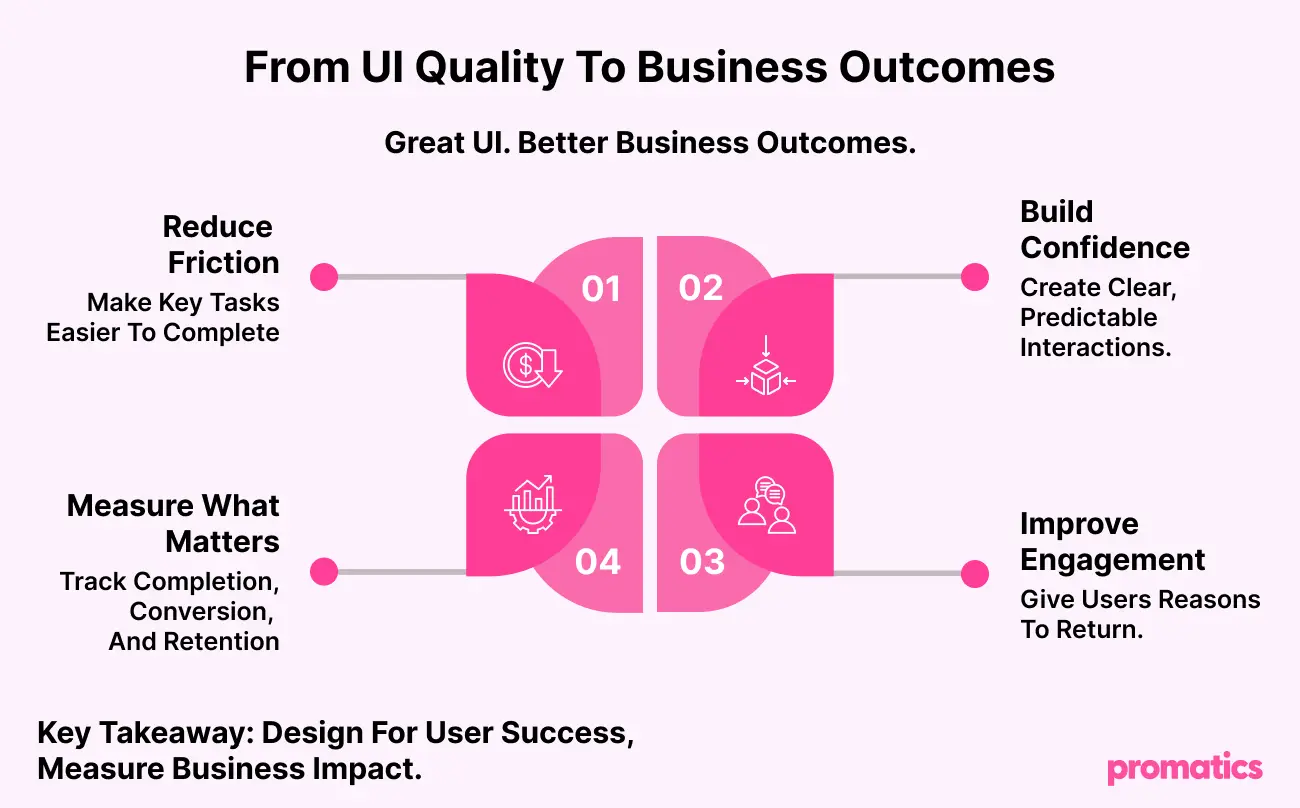
Why Choose Promatics as Your Mobile App Development Company?
At Promatics, we believe exceptional apps begin with exceptional mobile app interface design. Our design and development experts work together to create intuitive, scalable, and high-performing applications that deliver outstanding user experiences.
With 18+ years of experience, 700+ successful app launches, and expertise across 20+ industries, we build digital products that combine usability, performance, and scalability.
From UI/UX design and product discovery to native, cross-platform app development, and AI-powered mobile app development, we help businesses turn innovative ideas into successful mobile applications.
Whether you’re launching a startup MVP or modernizing an enterprise solution, our team focuses on building applications that increase engagement, improve retention, and drive measurable business growth.
Conclusion
Your app has only one opportunity to make a strong first impression. A thoughtfully planned mobile app interface design can be the difference between loyal users and abandoned downloads.
By avoiding common mobile app UI design mistakes, following proven mobile app design best practices, and continuously testing with real users, businesses can improve engagement, increase retention, and achieve better business outcomes.
Ready to Build a Mobile App Users Love?
Whether you’re launching a new product or redesigning an existing application, partnering with an experienced mobile app development company can help you create intuitive, scalable, and high-performing digital experiences.
At Promatics, we combine user-centric mobile app interface design, innovative UI/UX design, and expert mobile app development to build applications that deliver exceptional user experiences and measurable business results.
Contact our experts today to turn your app idea into a market-ready digital product.
