How to Develop an iOS Application on Windows? (Complete 2026 Guide)
TL;DR
- Methods for building iOS applications on Windows systems.
- Cloud-based macOS services and virtual machine setups.
- Flutter, React Native, and Xamarin cross-platform workflows.
- Setup limitations and compatibility challenges.
- Practical approaches for testing and deploying iOS apps without Mac hardware.
1. Introduction
Mobile apps have become an integral part of every modern business strategy. Apps increase interaction, purchases, and brand awareness whether it is an online shopping site, fintech startup, or a healthcare platform. iOS is one of the mobile platforms that have been at the forefront in providing smooth user experiences, high security and customer loyalty.
By 2025, the App Store has over 2.29 million applications to cater to its over a billion users of its iPhones spread all over the globe. The Apple App Stores revenues have remained at the top of the Google Play Stores revenues as a result of the out-of-the-world purchasing power of iOS users. Therefore, the iOS app development is the issue to all the prospective businesses.
Nevertheless, there exists one giant hiccup, which is that the Mac OS-compliant environment of Apple is developed. The standard iOS apps development IDE is the Xcode offered by Apple and it is only compatible with Apple machines. In the above case of those who use windows, it is a technological as well as a cost prohibitive issue.
However, innovation has never been a static process. The communities of developers and cloud services have introduced several tools that make it not only possible but also a reality that iOS can be developed on a Windows platform. Some of those innovations include cloud-based Macs and cross-platform Flutter and React Native developer tools.
At Promatics Technologies, we’ve helped businesses across the globe craft scalable, high-performance iOS solutions using modern development strategies. In this comprehensive guide, we’ll walk you through how to develop iOS apps on Windows, covering tools, frameworks, costs, and expert tips for 2025.
2. Why iOS App Development Matters for Businesses
The iOS market is not limited to America and Europe, in fact, it is slowly entering and succeeding in emerging markets in countries such as India and Southeast Asia. In India, Apple registered an all-time high of 15 percent increase in iPhones sales per annum in 2025.
That way, the development of iOS is not a mere business development platform decision but an investment in a quality audience and a brand.
Key Reasons Businesses Target iOS Users
Greater revenue per user: iOS users spend more than 2.5x on applications and in-app purchases than Android users.
Security and Privacy Leadership: iOS has higher security with the ability of encryption and limited background location tracking systems which fit fintech and health-care apps.
The stable ecosystem: iOS has fewer device variations. Therefore, iOS ensures a smooth performance of apps.
Base of loyal customers: Apple users are brand loyal and are actually seeking high quality and subscriptions-based apps.
Benefits for Enterprises and Startups
- Premium brand perception: Availability of iOS apps leads to a high brand perception.
- Simplicity of integration: iOS integrates with business systems like Salesforce, Azure, and AWS with ease.
- Easy testing: iOS testing is easy and quicker than Android testing. Android is more fragmented in terms of devices.
- Quicker ROI: The ROI is achieved quicker because of the increased potential of rewards and user involvement.
To understand how a professional development partnership can benefit you, please review Promatics’ iOS app development services.
3. Main Challenges of iOS App Development on Windows
There are limitations to the creation of iOS Apps in a Windows Computer. This is something you should know in advance so that you can make decisions on how to create your iOS applications.
1. Apple Ecosystem Limitations
Xcode is an exclusive Mac OS. Failure to support Interface Builder and/or iOS Simulator is a severe bad blow to the users of Windows. These are key in testing.
2. Native Support Restriction
Windows will not use Apple development frameworks such as UIKit and SwiftUI. But, when a Mac environment is being emulated, one will not be able to develop native apps either.
3. Third-Party Solution Reliance
Virtualization software, emulators and cross platform frameworks are in urgent demand. The approaches are efficient yet may imply further complications.
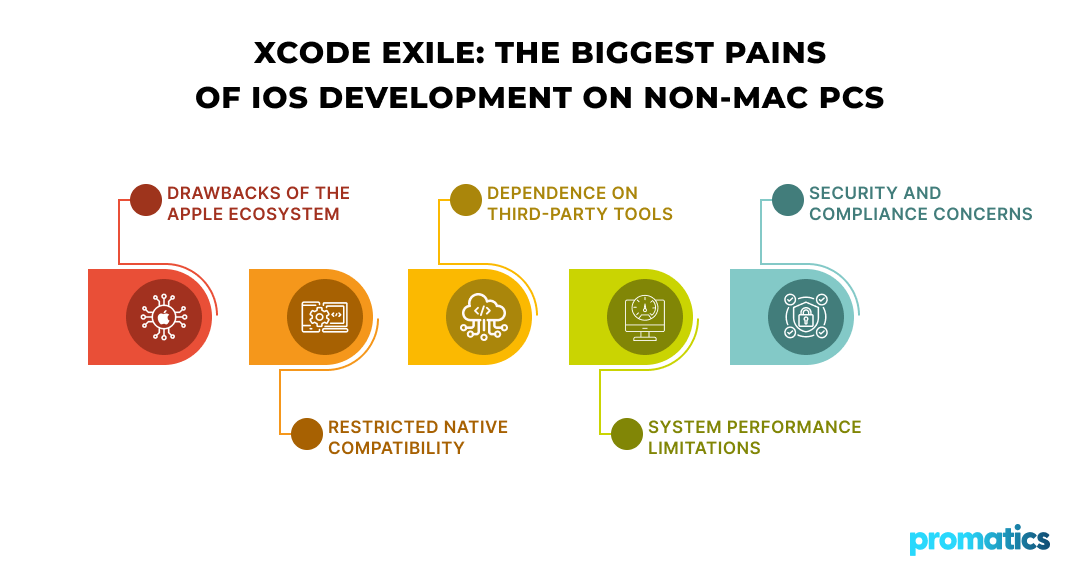
4. Performance Bottlene
It is known that the emulation of macOS requires a significant number of CPU resources and RAM.
5. Security and Concerns about Compliance
In the process of connecting to remote Macs or when external frameworks are involved, the developers are bound to adhere to Apple data and security standards.
Nevertheless, when configured and trained well, windows based developers can develop, test and release sound iOS applications.
4. 5 Best Methods to Develop iOS Apps on Windows
4.1 Use a Virtual Machine (VM)
With virtual machines, you can run macOS on Windows. Developers can build a full macOS system to install Xcode by using such tools as VirtualBox or VMware Workstation.
Detail Steps:
- Download a macOS image file (make sure it’s from a legal source).
- Install VMware and/or VirtualBox on your Windows computer.
- Create a new virtual machine with at least 8GB of RAM and 50GB of storage.
- Install MacOS, sign in with your Apple ID. Get Xcode from the App Store and install it.
- Put your iOS project on your VM and start coding it.
Optimization Tip:
To optimize the performance you should enable VT-x or AMD-V virtualization in BIOS and also you need to have an SSD drive.
Pros:
- Full access to Apple’s native development tools.
- No need for additional subscriptions.
Cons:
- Slower builds on systems that are of a medium-range specification.
- May experience dissatisfaction or truck collision.
4.2 In the Cloud, You May Rent a Mac
If you prefer not to modify your system, you can rent a virtual Mac through cloud services like MacStadium or MacinCloud.
These companies provide full regional macOS desktops that can be accessed from your Windows desktop via remote desktop services.
Advantages:
- Completely legal and in line with Apple standards.
- Team and continuous integration scale.
- Access to powerful Macs up to 64GB RAM.
Use Case Example:
A design company that operates on a Windows PC can rent a cloud-based Mac to perform Xcode builds and automated testing without actually purchasing the hardware.
Tips for Teams:
- Support integration with GitHub Actions and Bitrise to use cloud CI/CD pipelines.
- Subscription hours should be planned in order to make the most of the subscription expenses.
4.3 Use Cross-Platform Development Framework
Cross-platform frameworks are the most practical solution for teams that want to target both iOS and Android simultaneously.
Top Frameworks in 2025:
| Framework | Language | Strengths | Ideal Use Case |
| Flutter | Dart | Fast performance, single UI codebase | Startups, MVPs, UI-rich apps |
| React Native | JavaScript | Native-like feel, huge ecosystem | Social and eCommerce apps |
| Xamarin | C# | Enterprise-ready, Microsoft ecosystem | Enterprise and ERP apps |
| Ionic | HTML/CSS/JS | Web-first approach | Progressive web apps |
| Kotlin Multiplatform | Kotlin | Shared logic across iOS/Android | Complex multi-module apps |
Why Businesses Prefer Cross-Platform Frameworks:
- Cost savings: Up to 60% reduction in total project cost.
- Shared codebase: Faster updates and maintenance.
- Native-level performance: Especially with Flutter and React Native.
Real-World Example:
Promatics recently helped a fintech startup build a cross-platform banking app using Flutter, achieving native-like speed and reducing development time by 40%.
Learn more about our cross-platform mobile app development services.
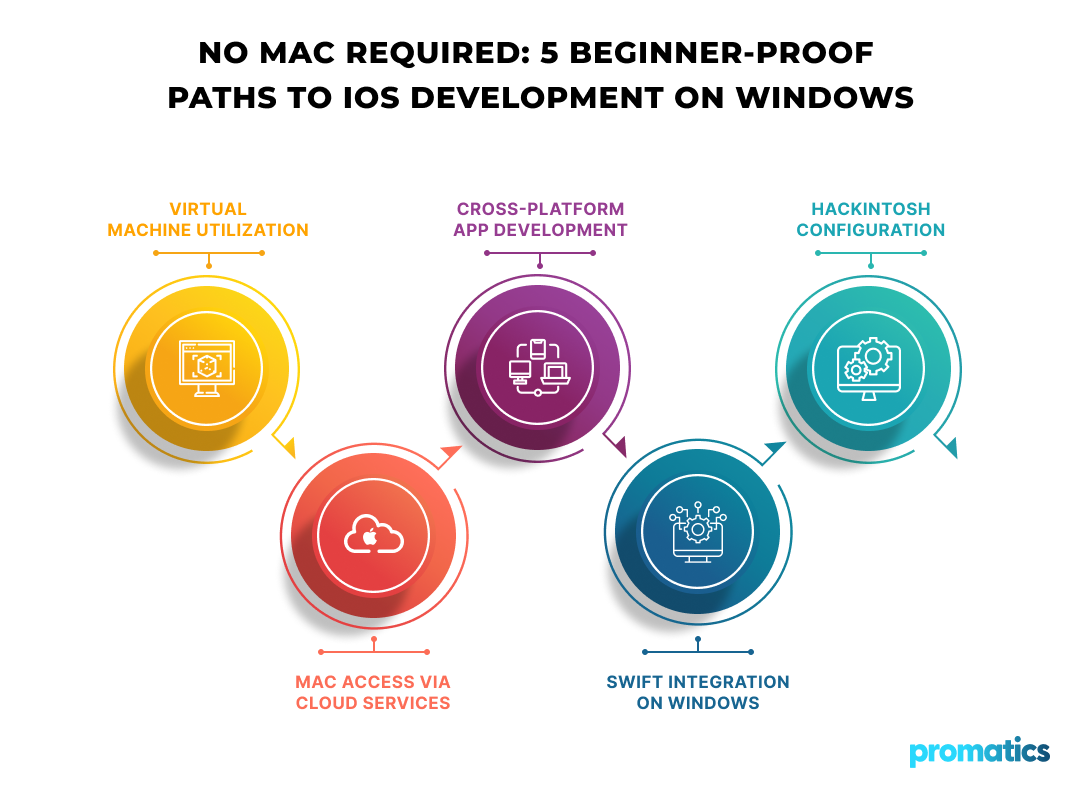
4.4 Swift for Windows
The Swift language created by Apple is available on Windows through official open-source implementations.
Developers can:
- Put in a Swift Toolchain on Windows.
- Write and compile Swift code.
- Work with Visual Studio Code.
But if you want to make iOS apps, you still need a Mac to package and upload to the App Store.
So, it is an excellent device for learning Swift programming or creating logic and then switching to a Mac for the final build.
4.5 Hackintosh Setup
Hackintosh means installing a macOS operating system on a non-Apple computer. Even if you can use Xcode, a Hackintosh has some legal and stability issues.
Disadvantages:
- Violates Apple licensing agreements.
- Often crashes and has problems with updates.
- Not appropriate for business and/or production apps.
Promatics advises against using a Hackintosh setup for professional development. You should, however, resort to legal and cloud-based options for more stability and trustworthiness.
5. Tools & Software Required
Here’s a quick overview of essential tools for iOS app development on Windows:
| Category | Tools/Software | Description |
| IDE | Xcode (macOS only), Visual Studio Code, JetBrains AppCode | For writing, testing, and debugging code. |
| Emulators/Simulators | Xcode Simulator (via cloud), Smartface, TestFlight | To test app performance across devices. |
| Version Control | Git, GitHub, Bitbucket | Manage source code and collaboration. |
| Design Tools | Figma, Sketch (on Mac), Adobe XD | For UI/UX design and prototyping. |
| Build Tools | Flutter SDK, Node.js, Android Studio | Required for cross-platform projects. |
You can explore Promatics’ mobile app UI/UX design services to ensure your iOS app delivers a modern, intuitive user experience.
6. Step-by-Step Guide: Build & Test an iOS App on Windows
Step 1: Pick Your Approach
The choice between a VM, a Cloud Mac, and a Cross-Platform depends on your project requirements and financial resources.
Step 2. Install Necessary Tools
Configure your IDE (such as VS Code or Flutter SDK), and connect required dependencies.
Step 3: Writing Your Code
Use Swift, Dart, and/or JavaScript depending on your tech stack. Prioritize a clean architecture and reusability.
Step 4: Test Your App
Use simulators or connect an actual iOS device via a remote Mac. You can also use TestFlight to distribute beta versions.
Step 5: Publish on App Store
Create an Apple Developer Account and follow the App Store submission process. Detailed guidance is available on the Apple Developer portal.
Extra Tips for Developers:
- Use GitHub Actions for continuous builds.
- Automate app versioning with tools like Fastlane.
- Use Firebase Crashlytics for post-launch performance monitoring.
7. Cost Considerations of iOS App Development on Windows
Business ROI:
Investing in professional iOS app development ensures a polished user experience and long-term growth. Explore Promatics’ enterprise app development for scalable, ROI-driven solutions.
8. Why Hire Professionals for iOS Development?
Attempting to set up iOS development on a Windows computer is not only a very convoluted process but it also takes a great deal of time. Hence, enterprises thrash out issues arising from:
- Compatibility and testing.
- Security compliance and app approval.
- Maintaining consistent user experience.
When a company hires a professional team, it gets the assurance of delivery on time, a faster turnaround, and provision of quality.
At Promatics Technologies, our developers are proficient in both native and cross-platform iOS development. We are the ones who shoulder the entire journey, from the conception to the release on the App Store.
Want a reliable partner for your iOS app project?
Hire Promatics developers today.
9. Conclusion
It no longer feels like a limitation to create an iOS app on a Windows machine. In fact, the development environment of 2025 provides various alternatives for Windows users to do the building, testing, and releasing of iOS apps quite rapidly. They can launch a virtual machine with macOS, use a Mac via the cloud, or a cross-platform library such as Flutter or React Native. Consequently, developers are able to have great flexibility, low costs, and high scalability in order to produce a first-rate iOS app without the need for a Mac.
Different approaches are tailored to different functionalities. A cross-platform tool could be the most suitable solution for a freelancer or a startup, thus, they can expedite their product delivery and cut down the costs. On the other hand, large enterprises are able to use cloud-based Macs to work with Xcode without any restrictions and submit their apps to the App store securely. The most important thing is selecting a mode that is consistent with your business objectives, budget, and growth plan.
Promatics Technologies is a company that specializes in the development of iOS and cross-platform mobile applications which are of high quality, conform to the standards, and offer great UX. Our talented team is with you from the very beginning – the conception and design phase, to the launch and support phase, and therefore, committed to ensuring that your app runs smoothly in Apple’s ecosystem.
It is also worth noting that not taking into account platform limitations is a clever move. If you have the proper tools and a reliable development partner, then a Windows setup can still result in world-class iOS apps development.
Contact Promatics today to bring your app idea to life.