Legacy Mobile App Modernization: Strategies, Timing, and Business Benefits
TL;DR
- Mobile app modernization helps businesses improve legacy applications without necessarily rebuilding them from scratch. It addresses issues such as outdated architecture, security vulnerabilities, slow performance, rising maintenance costs, and limited scalability.
- Depending on business needs, modernization may involve refactoring existing code, upgrading technologies, redesigning the architecture, or migrating selected components to the cloud.
- A successful strategy begins with assessing the current application, defining measurable goals, choosing the right modernization approach, and planning implementation around cost, risk, and long-term business requirements.
Your mobile app may still serve its purpose, but is it ready for what your business needs next? As user expectations rise and technology evolves, applications built around older frameworks can struggle with performance, security, third-party integrations, and the demands of ongoing development. Replacing the entire application is not always necessary. With the right mobile app modernization services, businesses can rethink existing architecture, resolve technical limitations, improve functionality, and adapt their software to changing requirements. The key is knowing what needs to change, which improvements will deliver value, and how to modernize without disrupting essential business operations.
The scale of the modernization market highlights the growing attention this area is receiving. According to Grand View Research, the global application modernization services market was valued at $24.3 billion in 2025. The report projects a market value of $28.3 billion in 2026, increasing to $83.5 billion by 2033. This represents an estimated compound annual growth rate (CAGR) of 16.7% over the 2026–2033 forecast period.
For companies using mobile applications to manage daily activities, engage customers, or support revenue streams, older systems can make it harder to introduce new features and respond to changing demands. Modernization gives businesses an opportunity to reassess existing technology, resolve performance bottlenecks, simplify integrations, and create a stronger foundation for future development.
This article examines the decisions involved in upgrading a legacy mobile application. It covers the signs that an app may require intervention, the available modernization options, the stages of an upgrade project, the variables that influence its budget, and the factors businesses should consider when choosing a modernization service provider.
What Is Mobile App Modernization?
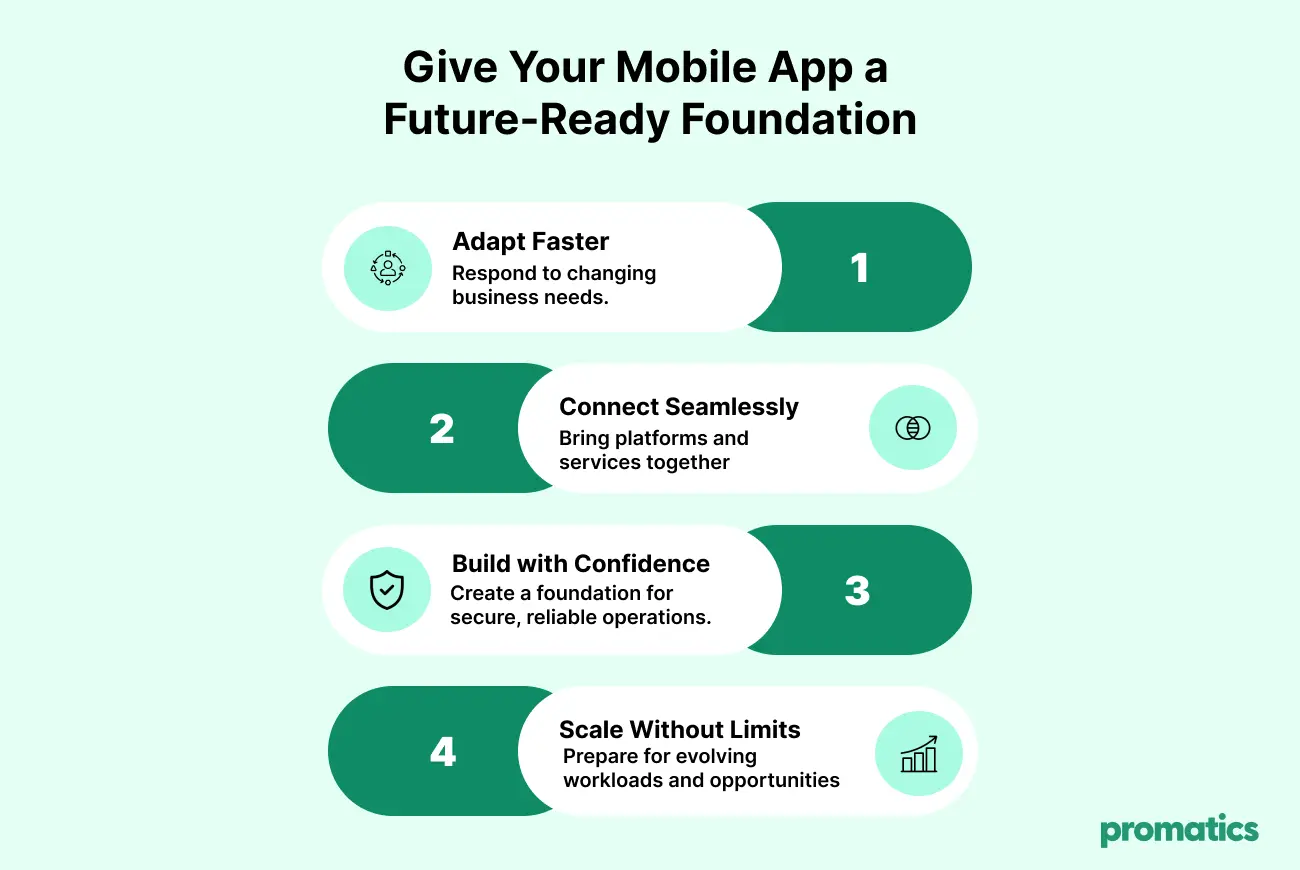
Mobile app modernization is the process of upgrading an existing mobile application’s technology, architecture, infrastructure, security, user experience, or integrations to meet current and future requirements.
Rather than automatically replacing an entire application, modernization focuses on identifying what is outdated and improving the components that limit performance, maintainability, scalability, or business value.
Depending on the application’s condition, modernization may involve:
- Updating legacy code and development frameworks.
- Improving the interface and user experience.
- Strengthening authentication, data protection, and security controls.
- Moving selected components to cloud infrastructure.
- Integrating modern APIs and third-party services.
- Replacing outdated databases or backend components.
- Introducing automation, analytics, or AI-powered features.
- Refactoring or redesigning the application architecture.
Modernization helps businesses get more value from existing applications by reducing technical risks, improving operational resilience, and making future updates easier and less expensive.
Why Are Businesses Investing in Mobile App Modernization?
Modernizing existing applications helps businesses adapt to changing market demands, improve operational efficiency, and create more seamless digital experiences for their customers.
An eSparkInfo roundup of application modernization statistics reports that 87% of surveyed business executives considered modernization necessary for organizational growth and competitiveness.The eSparkInfo report also highlights several reasons businesses pursue modernization, including stronger security, smoother operations, lower ongoing expenses, and compatibility with newer technologies.
However, these findings reflect the specific studies and surveys referenced by eSparkInfo. Actual outcomes can differ depending on an organization’s existing systems, modernization strategy, and business requirements.
The growing interest in modernization can be attributed to several underlying business and technology changes.
1. Rising Maintenance Costs
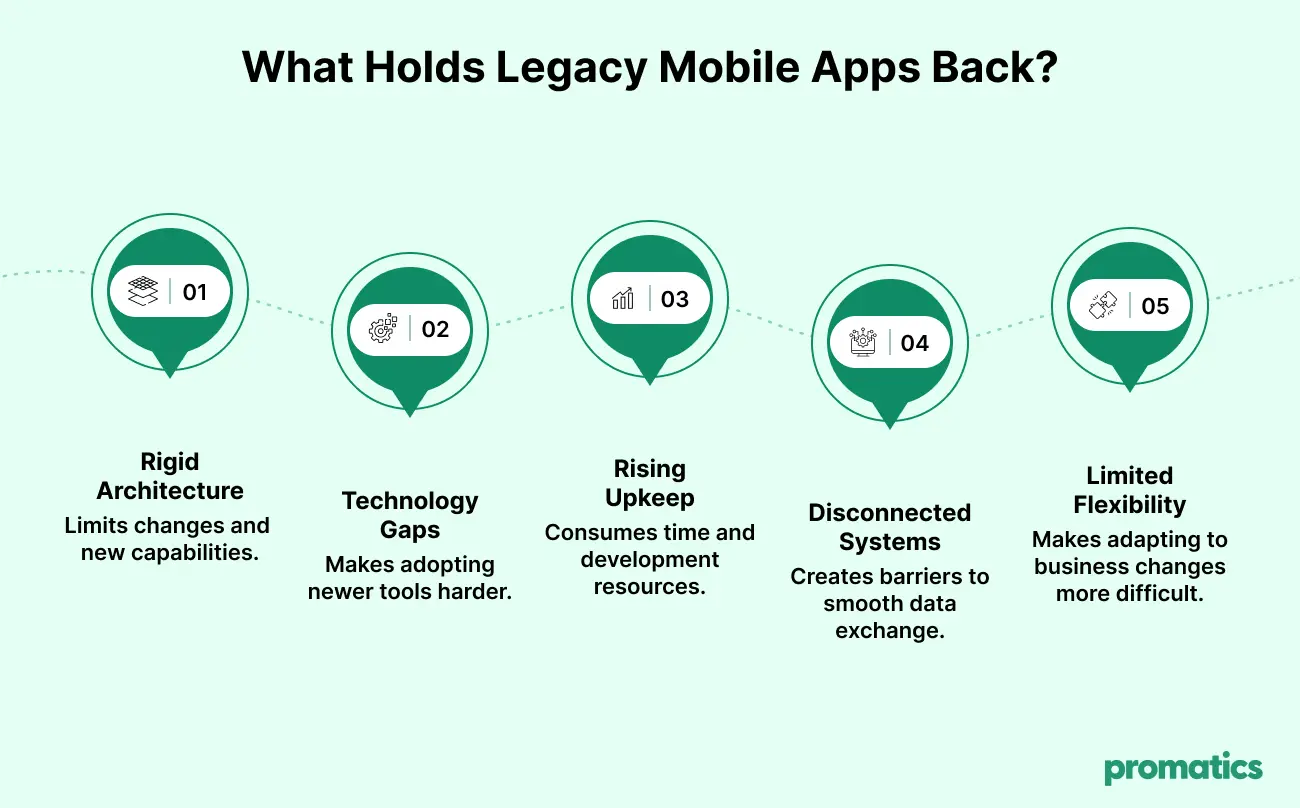
Older applications may depend on unsupported frameworks, outdated libraries, and specialized development skills. Maintaining older applications can make even routine bug fixes and feature updates more complex than expected.
Modernization can simplify ongoing development, reduce repetitive technical work, and free up resources for enhancements that contribute more directly to business goals.
2. Keeping Up With Evolving User Needs
Mobile users increasingly value responsive performance, straightforward navigation, reliable functionality, and responsible handling of their personal data.
If an application becomes difficult to use or fails to perform consistently, customers may stop using it and look for alternatives. Updating the app’s design and functionality allows businesses to address these friction points while preserving familiar features and essential user journeys.
3. Security and Compliance Requirements
Legacy applications may contain outdated dependencies, weak authentication mechanisms, or security controls that no longer meet current requirements.
Modernization can introduce stronger security practices, improve dependency management, and make it easier to maintain compliance with applicable regulations.
4. Integration With Modern Technologies
Businesses increasingly need mobile apps to connect with cloud platforms, analytics tools, payment gateways, CRM systems, and AI-powered services.
Modern APIs and updated architectures can make these integrations easier to maintain and extend.
5. Scalability and Future Growth
An application designed for a small user base may struggle when traffic, transactions, or data volumes increase.
Updating the app’s architecture and resource usage can resolve existing slowdowns and help it handle increasing usage as business needs grow.
Key Mobile App Modernization Statistics
Market forecasts and survey findings help explain why businesses are investing in modernization. The following figures provide context for evaluating legacy application risks and opportunities.
| Statistic | What it indicates |
| $24.3 billion | Estimated global application modernization services market size for 2025 |
| $28.3 billion | Projected global market value in 2026 |
| $83.5 billion | Projected global market value by 2033 |
| 16.7% CAGR | Projected market growth from 2026 to 2033 |
| 40% | North America’s reported share of the global application modernization services market in 2025 |
| Approximately 23% | Share held by application re-platforming, the leading service segment in 2025 |
What Is Driving Application Modernization?
Research summarized in eSparkInfo’s application modernization statistics roundup points to several factors influencing modernization decisions across organizations.
Security appears prominently, with 58% of respondents identifying it as a reason to modernize. Operational improvement follows at 54%, while 49% cited cost savings as a contributing factor. The findings also highlight the complexity of maintaining legacy applications, which 48% of respondents identified as a significant organizational challenge.
These figures should be viewed within the context of the original research. Since the statistics are presented through a secondary source, the underlying surveys should be reviewed to confirm their methodology, respondent groups, and scope before publication.
Taken together, the findings suggest that modernization is not simply a technology upgrade. Businesses should evaluate how changes to existing applications can address specific operational problems, improve security, control maintenance expenses, and make digital services more dependable for users. Defining these outcomes before starting a project also provides a clearer basis for measuring its success.
7 Warning Signs That Your Mobile App Needs an Upgrade
Not every older application needs a complete overhaul. However, persistent technical or business problems can indicate that modernization should be evaluated.
1. The App Has Performance Issues
Recurring app failures, sluggish navigation, delayed processing, and unsuccessful transactions can frustrate users and disrupt business operations.
If performance problems continue despite routine fixes, the underlying architecture, database, network calls, or backend services may need attention.
2. Maintenance Is Becoming More Expensive
If simple changes require extensive code modifications or specialized expertise, the application may have accumulated significant technical debt.
Updating problematic parts of the application can simplify ongoing support and help teams deliver future updates with greater consistency.
3. Security Risks Are Increasing
Unsupported frameworks, outdated dependencies, and weak access controls can expose the application to avoidable risks.
A thorough security review can reveal whether specific components need updating or the application requires more extensive structural changes.
4. Integrations Are Difficult to Maintain
An app that cannot easily connect with current payment systems, business platforms, analytics tools, or APIs may restrict operational efficiency.
Upgrading the application can help it communicate more effectively with other systems and make connected services easier to manage.
5. The User Experience Feels Outdated
When users struggle to find features, encounter inconsistent interactions, face accessibility barriers, or complete tasks through unnecessarily complicated steps, they may be less inclined to continue using the app.
Interface improvements should address these usability problems through customer feedback, behavioral data, accessibility standards, and clearly defined business objectives, rather than focusing solely on appearance.
6. Rising Usage Exposes Performance Limits
As an app attracts more users, processes additional transactions, or handles larger volumes of data, its existing architecture may struggle to maintain consistent performance.
Reworking the application’s infrastructure and architecture can help remove capacity constraints and support higher workloads, depending on the system design and deployment environment.
7. New Features Take Too Long to Deliver
If adding a feature repeatedly causes regressions or requires changes across unrelated modules, the codebase may be too tightly coupled.
Refactoring or re-architecting selected components can make development more manageable and support faster iteration.
Mobile App Modernization vs. App Rebuilding
Modernization and rebuilding are related but different approaches. The right option depends on the application’s technical condition, business value, available budget, and future requirements.
| Factor | Mobile app modernization | Complete app rebuild |
| Approach | Improves selected components or systems | Recreates the application using a new implementation |
| Existing code | Retains useful components where practical | Replaces most or all of the existing implementation |
| Initial investment | Can be lower when changes are targeted | May be higher because more components are recreated |
| Delivery | Can be phased around business priorities | May require a longer development cycle |
| Risk | Depends on legacy dependencies and migration scope | Includes migration, feature parity, and launch risks |
| Best suited for | Apps with valuable functionality and a workable foundation | Apps with fundamental architectural limitations or obsolete foundations |
Modernization does not always mean retaining the existing code. If the current application cannot reasonably meet security, performance, or business requirements, a controlled rebuild may be the better long-term decision.
Businesses should assess both options before committing to a solution.
Mobile App Modernization Strategies
A modernization strategy should match the application’s current condition and the outcomes the business wants to achieve.
1. Rehosting
Rehosting moves an application or its components to a different hosting environment, often with minimal changes to the code.
Best for: Applications that need an infrastructure move but do not require major architectural changes.
Consideration: Rehosting alone may not resolve inefficient code, poor user experience, or deeper architectural problems.
2. Replatforming
Replatforming moves an application to a new platform or runtime while making limited changes to improve compatibility, operations, or performance.
For example, a business might move a backend workload to a managed cloud service without redesigning the entire application.
Best for: Apps that can benefit from modern infrastructure while retaining much of their existing architecture.
3. Refactoring
Refactoring improves the internal structure of the code without intentionally changing its external behavior.
This may involve removing duplicated code, simplifying complex modules, improving test coverage, or replacing outdated dependencies.
Best for: Applications with useful functionality but growing technical debt.
4. Rearchitecting
Rearchitecting changes the application’s underlying structure to meet requirements that the existing design cannot support effectively.
This could involve separating tightly coupled components, introducing service boundaries, or improving how the mobile client communicates with backend systems.
Best for: Apps that need substantial improvements in scalability, flexibility, or integration.
5. Rebuilding
Rebuilding creates a new implementation, potentially using modern mobile frameworks, updated backend technologies, and a redesigned user experience.
Best for: Applications with severe architectural limitations, obsolete dependencies, or requirements that cannot be met effectively through incremental changes.
6. Replacing
Replacing means retiring the current application in favor of an existing product or a different solution.
Best for: Businesses whose needs can be met more effectively by a suitable commercial platform or another established product.
The most effective strategy may combine several approaches. For example, a company could refactor critical modules, replatform backend services, and redesign selected user journeys without replacing the entire application.
The Mobile App Modernization Process: Step by Step
A structured process helps businesses manage technical risks, maintain service continuity, and measure whether modernization is delivering the expected results.
Step 1: Assess the Existing Application
Start with a technical and business assessment of the current application.
Review:
- Source code and architecture.
- Framework and operating system compatibility.
- Security vulnerabilities and outdated dependencies.
- Backend services, databases, and integrations.
- Performance, crashes, and user feedback.
- Maintenance costs and development bottlenecks.
- Business-critical features and workflows.
The assessment should identify what needs to change, what can be retained, and which risks require immediate attention.
Step 2: Define Business Objectives
Set clear goals before selecting technologies or planning development work.
Objectives may include:
- Reducing crash rates.
- Improving app launch time.
- Strengthening security.
- Simplifying maintenance.
- Improving accessibility and user satisfaction.
- Supporting more users or transactions.
- Enabling new integrations or business features.
Establish baseline measurements so results can be compared after implementation.
Step 3: Choose the Modernization Strategy
Use the assessment to decide whether the application needs targeted upgrades, refactoring, replatforming, rearchitecting, rebuilding, or replacement.
Prioritize changes according to business impact, technical risk, cost, and implementation effort.
Step 4: Plan the Architecture and Migration
Document the target architecture, data migration requirements, API changes, infrastructure needs, and dependencies.
Plan how existing user accounts, transaction histories, business records, and other critical data will be preserved.
For applications that support important business operations, use phased releases or parallel operation where appropriate to reduce disruption.
Step 5: Modernize in Manageable Phases
Break the work into clearly defined releases.
A phased approach may start with security vulnerabilities or performance bottlenecks before moving to architecture, integrations, and user experience improvements.
This helps teams validate progress and adjust priorities as they learn from implementation.
Step 6: Test the Modernized Application
Testing should cover more than whether the app opens and its main screens render correctly.
Include:
- Functional and regression testing.
- Performance and load testing.
- Security and privacy testing.
- API and integration testing.
- Device and operating system compatibility.
- Accessibility and usability testing.
- Data migration validation.
- Recovery and rollback testing where applicable.
The level of testing should reflect the application’s complexity, user base, and business criticality.
Step 7: Deploy and Monitor
Use a controlled release strategy where appropriate, such as staged rollouts or limited releases before broader deployment.
Monitor crashes, latency, failed transactions, user feedback, security alerts, and infrastructure costs. Keep rollback plans available for critical releases.
Step 8: Improve Continuously
Modernization should establish a maintainable foundation, not simply produce a one-time upgrade.
Continue updating dependencies, monitoring application performance, reviewing security, and prioritizing improvements based on actual user behavior and business requirements.
Technologies Used in Mobile App Modernization
Technology choices should follow the application’s requirements rather than trends alone.
Modern Mobile Frameworks
Depending on the project, businesses may retain native development or consider cross-platform technologies.
- Swift: Commonly used for native iOS application development.
- Kotlin: Commonly used for native Android application development.
- React Native: Supports cross-platform mobile development using JavaScript and React.
- Flutter: Supports cross-platform application development using a shared codebase.
The right choice depends on required device capabilities, performance, team expertise, maintenance plans, and existing code.
Explore iOS app development and Android app development to understand native development options.
Cloud Infrastructure and Managed Services
Cloud infrastructure can support flexible scaling, managed databases, monitoring, and deployment automation. However, moving to the cloud does not automatically make an application faster or cheaper. Workload design, data transfer, architecture, and ongoing usage costs still matter.
APIs and Integration Platforms
Modern APIs help mobile applications communicate with backend services and external systems through defined interfaces.
API improvements can support integrations with payment gateways, CRM platforms, analytics systems, identity providers, and other business tools.
Containers and Microservices
Containers can make application components more consistent across environments. Microservices can help teams develop and deploy independently when service boundaries are well designed.
However, introducing microservices to a small or tightly scoped application may add unnecessary operational complexity. Architecture should match actual needs.
AI and Analytics
AI and analytics capabilities can support personalization, recommendations, intelligent search, automated workflows, and predictive insights.
Before introducing these capabilities, businesses should assess data quality, privacy, security, integration effort, and ongoing operational costs. Learn more about artificial intelligence development services.
Common Challenges in Mobile App Modernization
Modernization can deliver significant improvements, but it also introduces technical and organizational challenges.
Legacy Code Complexity
Older applications may lack documentation or contain dependencies that are difficult to understand.
How to address it: Start with code analysis, dependency mapping, and focused technical assessments. Modernize the highest-priority components first.
Data Migration Risks
Moving user accounts, transaction histories, or business records can create data integrity problems if migration is not carefully planned.
How to address it: Validate migration scripts, reconcile data before and after migration, protect sensitive information, and establish recovery procedures.
Business Disruption
Large changes can affect availability or interrupt important workflows.
How to address it: Use phased releases, controlled rollout plans, clear user communication, and rollback procedures appropriate to the system.
Budget and Scope Creep
Unexpected dependencies and requirements can expand the project beyond the initial estimate.
How to address it: Prioritize essential outcomes, assess technical risks early, and define milestones and acceptance criteria before development begins.
Limited In-House Expertise
Teams may lack experience with the target frameworks, cloud platforms, security requirements, or architectural approaches.
How to address it: Provide training or work with a development partner that has relevant modernization and mobile engineering experience.
User Resistance
Existing users may be accustomed to particular interfaces or workflows and struggle with sudden changes.
How to address it: Involve users in discovery and testing, preserve familiar workflows where they remain effective, and provide clear guidance when changes are necessary.
How Much Do Mobile App Modernization Services Cost?
There is no single price for mobile app modernization. Costs depend on the application’s condition, complexity, and the scope of improvements required.
| Cost factor | How it affects the budget |
| Application size and complexity | More modules and dependencies generally require more assessment and engineering effort |
| Legacy code quality | Poorly documented or tightly coupled code can increase investigation and refactoring effort |
| Platform coverage | Supporting both Android and iOS can affect testing, implementation, and release planning |
| Architecture changes | Major backend or infrastructure redesigns require additional planning and development |
| Integrations and data migration | Complex APIs, third-party systems, and data transfers increase scope |
| Security and compliance | Specialized assessments, remediation, and validation can add effort |
| Testing and deployment | Device coverage, performance testing, staged releases, and rollback planning affect delivery costs |
| Ongoing maintenance | Monitoring, updates, infrastructure, and support contribute to the total cost of ownership |
A targeted modernization project may focus on a few critical components, while a major rearchitecture or rebuild can approach the scale of a new application development project.
For a meaningful estimate, businesses should request a technical assessment, define the required outcomes, and compare costs against the risks and expenses of maintaining the existing application.
How to Measure the ROI of Mobile App Modernization
Modernization should be evaluated using measurable business and technical outcomes rather than the number of components upgraded.
Useful metrics include:
- Application performance: Launch time, response latency, crash-free sessions, and transaction completion time.
- Reliability: Downtime, incident frequency, and recovery time.
- Maintenance effort: Time spent resolving defects, updating dependencies, and delivering releases.
- Security: Vulnerability remediation time, dependency health, and relevant security findings.
- User experience: App store feedback, task completion, user retention, and support requests.
- Delivery efficiency: Release frequency, lead time for changes, and regression rates.
- Financial performance: Infrastructure expenditure, support costs, conversion rates, and revenue where measurable.
Compare these metrics against a pre-modernization baseline. Where possible, measure outcomes over a period that reflects normal usage and seasonal business variation.
Not every benefit will appear immediately, and results depend on the modernization strategy, implementation quality, and how the application is used.
How to Choose the Right Mobile App Modernization Services Provider
The right partner should understand both the application’s technical requirements and the business outcomes modernization is expected to deliver.
Consider these factors when evaluating providers:
- Assessment capability: Can the provider evaluate legacy architecture, code quality, integrations, and security risks before recommending a solution?
- Relevant mobile expertise: Does the team understand native and cross-platform development, backend engineering, and mobile release processes?
- Modernization strategy: Can the provider explain why it recommends refactoring, replatforming, rearchitecting, rebuilding, or another approach?
- Security and data protection: Does the proposed process include appropriate security reviews, data migration controls, and testing?
- Testing and deployment: Are regression testing, performance validation, rollout planning, and recovery procedures included?
- Transparent estimates: Does the proposal explain assumptions, deliverables, milestones, dependencies, and potential risks?
- Post-launch support: Can the provider help monitor, maintain, and improve the application after release?
Avoid choosing a provider based only on the lowest initial estimate. A clear scope, realistic implementation plan, and measurable acceptance criteria are important for controlling risk.
Mobile App Modernization With Promatics Technologies
Modernizing a legacy application requires a practical balance between preserving valuable functionality and making the changes necessary for future growth.
Promatics Technologies helps businesses build, enhance, and scale digital products through mobile application development and software engineering solutions. The right modernization approach depends on the application’s architecture, business priorities, technical constraints, and long-term roadmap.
A structured process should begin with understanding the existing system, defining measurable objectives, prioritizing improvements, and validating the results through testing and monitoring.
Explore our software development process to learn more about how projects can be structured around requirements and business goals.
Conclusion
Legacy mobile applications can remain valuable business assets when supported by the right modernization strategy. As the application modernization services market expands, businesses have a growing opportunity to address outdated technology, strengthen security, improve performance, and build a stronger foundation for future growth.
The key is to modernize strategically. Start by identifying the issues that affect users and business operations, then prioritize improvements based on risk, cost, and measurable value. Depending on the application, the right solution may involve targeted upgrades, architectural improvements, or a complete rebuild.
At Promatics Technologies, we help businesses build, enhance, and scale digital products through tailored mobile app development and software engineering solutions. Our structured software development process helps align technical decisions with project requirements and business objectives.
Is your legacy mobile app limiting your business growth? Contact Promatics Technologies to discuss your modernization requirements and explore the right approach to building a more secure, scalable, and future-ready application.
