Understanding the Google App Review Process: A Critical Stage in Mobile App Development
Launching a mobile application is a major milestone for any business. After months of planning, designing, development, and testing, the product is finally ready to reach users. However, before your app becomes available to millions of users worldwide, it must pass through one of the most important stages of the journey: the app review process.
Whether you are submitting to Google Play or the Apple App Store, your app will be carefully evaluated before approval. This process ensures that only secure, functional, and policy-compliant apps are made available to users.
For businesses investing in mobile app development, understanding the app review process is critical. Approval delays, rejections, or policy violations can impact launch timelines, marketing campaigns, and overall revenue goals.
In this detailed guide, we explain how the Google Play app review process and Apple App Store review process work, common reasons for rejection, approval timelines, and how businesses can prepare for smooth app store approval.
How the App Review Process Fits into Modern Mobile App Development
Google Play and Apple App Store are not open publishing platforms. They are controlled digital marketplaces designed to maintain user trust and ecosystem integrity.
Every app submitted must meet platform standards related to:
- Security and malware prevention
- User data protection and privacy compliance
- Accurate app descriptions
- Functional stability
- Payment transparency
- Content policies
With millions of apps competing for visibility, these platforms must ensure that low-quality, misleading, or harmful apps do not reach users.
For businesses, this means app store approval is not automatic; it must be earned through compliance and quality.
The Google Play App Review Process Explained
When developers submit an app through the Google Play Console, the app does not go live immediately. It enters a structured review system.
1. Automated Pre-Review Checks
Google Play first performs automated checks to identify potential issues. These systems analyze:
- Harmful or malicious code
- Suspicious background activity
- Permission misuse
- Data safety disclosures
- Billing configuration errors
- Metadata inconsistencies
- Target audience settings
Apps requesting sensitive permissions such as location access, contacts, SMS, or background services may receive additional scrutiny.
Automated systems allow Google to process large volumes of submissions efficiently. If the app clears these checks, it moves forward in the review pipeline.
2. Manual Review (When Required)
If the system detects concerns or if the app falls into sensitive categories (finance, healthcare, children’s apps, etc.), human reviewers manually evaluate the application.
Manual reviewers check:
- Does the app function as described?
- Are all features working correctly?
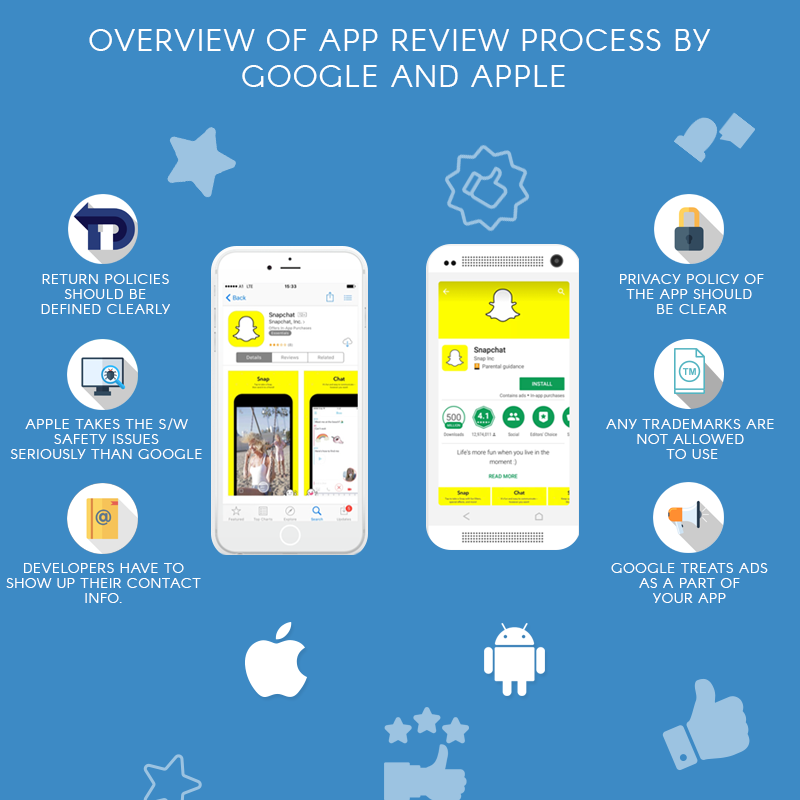
- Is the privacy policy clear and accessible?
- Are permissions justified?
- Does in-app billing follow Google Play policies?
- Are ads compliant and non-deceptive?
If violations are found, developers receive a policy reference and explanation.
3. Google Play Review Time
Review time typically ranges between a few hours and 48 hours. However, delays may occur if:
- The developer account is new
- The app category requires additional verification
- Sensitive permissions are used
- There are previous policy violations
Apple’s Approval Standards in iOS Mobile App Development
Apple is widely known for its strict review standards. While Google relies heavily on automation, Apple emphasizes manual review and user experience evaluation.
After submission through App Store Connect, the app undergoes multiple stages.
1. Technical Validation
Before manual review begins, Apple checks:
- App crashes
- Broken links
- Missing metadata
- API misuse
- Incomplete app information
- In-app purchase configuration
If technical validation fails, the app does not move forward.
2. Manual Review by Apple Team
Once technical checks pass, Apple reviewers manually install and test the app.
They evaluate:
- User interface consistency
- Navigation clarity
- Performance and responsiveness
- Data collection transparency
- Subscription terms and pricing clarity
- Compliance with regional laws
- Content quality and originality
Apple places strong emphasis on design quality and user experience. Apps that feel unfinished, misleading, or overly promotional may face rejection.
3. Apple Review Timeline
Most apps are reviewed within 24–48 hours. However, review time may extend for:
- Apps requiring special entitlements
- Financial or health-related apps
- Apps targeting children
- Apps with complex subscription models
Major Differences Between Google Play and Apple App Store Review
Although both platforms share similar goals, their review styles differ.
Google Play:
- Faster approval for simple apps
- Heavy use of automated systems
- Strict on repeated policy violations
- Strong focus on data safety declarations
Apple App Store:
- More manual review involvement
- Greater emphasis on design quality
- Strict originality requirements
- Strong review of subscription transparency
Businesses launching on both platforms must understand these differences to avoid surprises.
Common Reasons Apps Get Rejected
App rejection is more common than many businesses expect. Even minor mistakes can delay approval.
Here are the most frequent causes of app rejection:
1. Misleading App Metadata
Your app title, description, and screenshots must accurately reflect the app’s features. Exaggerated claims or irrelevant keywords can lead to rejection.
2. Incomplete Privacy Policy
Apps collecting user data must clearly explain:
- What data is collected
- How it is used
- Whether it is shared
- How it is protected
Missing or unclear privacy disclosures are major rejection triggers.
3. Unnecessary Permissions
Requesting access to camera, microphone, contacts, or location without clear functional need raises red flags.
4. App Crashes and Bugs
Apps must be stable. Reviewers test core features. Any crashes or broken flows can lead to rejection.
5. In-App Billing Violations
Digital products must use official Google Play Billing or Apple In-App Purchase systems.
6. Copyright or Trademark Violations
Using protected brand names, logos, or content without authorization can result in immediate removal.
7. Duplicate or Low-Quality Apps
Publishing multiple similar apps with minor changes is considered spam.
Best Practices to Ensure Faster App Store Approval
Businesses can significantly improve first-time approval rates by following structured preparation steps.
Conduct Internal Quality Testing
- Test on multiple devices
- Validate login and registration flows
- Check payment integrations
- Test push notifications
- Ensure performance under different network conditions
Review Platform Guidelines Carefully
Google and Apple regularly update policies. Always review the latest guidelines before submission.
Prepare Accurate Store Listings
- Clear and honest app description
- Updated screenshots
- Correct app category
- Transparent pricing details
Validate Data Safety and Privacy Compliance
- Add clear privacy policy links
- Minimize permission requests
- Ensure secure data handling
Avoid Last-Minute Changes
Submitting updates during review may reset the review cycle.
The Business Impact of App Review Delays
App store delays are not just technical inconveniences. They directly affect business operations.
Delays can disrupt:
- Marketing campaign launches
- Product announcement schedules
- Influencer collaborations
- Investor communications
- Paid advertising timelines
For startups and enterprises alike, approval timing is tied to revenue strategy.
That is why app store compliance must be integrated into development planning.
Why Promatics Technologies Leads in Strategic Mobile App Development?
At Promatics Technologies, we understand that building a successful mobile app requires more than coding expertise. It requires strategic planning, compliance knowledge, and platform awareness.
Here is how we help businesses achieve smooth app store approval:
-
Compliance-Integrated Development
We design apps aligned with Google Play and Apple App Store guidelines from the initial development stage. Compliance is not treated as a final checklist — it is part of our development framework.
-
Detailed Pre-Submission Audits
Before submission, we conduct structured audits covering:
- Policy compliance
- Data safety declarations
- Permission usage
- Privacy policy verification
- In-app billing validation
- Store metadata review
This significantly reduces rejection risk.
-
Strong Focus on UX and Performance
Our design team ensures your app meets platform design standards and delivers a smooth, intuitive user experience especially critical for Apple App Store approval.
-
Secure Architecture and Scalable Infrastructure
We build apps using secure coding standards and scalable backend systems, ensuring reliability during review and post-launch growth.
-
End-to-End App Store Support
From submission to approval, our team manages:
- Store listing optimization
- Policy feedback resolution
- Rejection handling and resubmission
- Ongoing compliance updates
Promatics Technologies combines technical expertise, business strategy, and platform knowledge to ensure faster approvals and stronger digital product launches.
Here is your merged and refined final section polished, engaging, SEO-friendly, and aligned with Promatics Technologies’ positioning:
Final Thoughts
The Google Play and Apple App Store review processes are designed to protect users and maintain platform quality. While approval may seem strict, it becomes manageable with proper planning and compliance from the start.
Understanding the app review process, avoiding common mistakes, and aligning development with platform guidelines can significantly improve approval timelines. For businesses, app store approval is not just a technical step it is a key part of a successful launch strategy.
If you are planning to build and launch a mobile app, partner with experts who understand both development and compliance.
Promatics Technologies offers end-to-end mobile app development services with built-in quality checks, policy alignment, and performance optimization. From design and development to submission and approval support, we help you launch smoothly and confidently.
Contact Promatics Technologies today to ensure a seamless app store approval journey and build an app that performs, gets approved, and scales successfully.
Frequently Asked Questions
1. How long does the Google Play app review process take?
The Google Play app review process usually takes between a few hours and 48 hours. However, review time may increase if:
- The developer account is new
- The app requests sensitive permissions
- The app falls under categories like finance, healthcare, or children’s apps
- There are previous policy violations
Complex apps may take longer to be reviewed.
2. How long does Apple take to review an app?
Apple typically reviews apps within 24 to 48 hours. In some cases, the review process may take longer if:
- The app includes subscriptions or in-app purchases
- Special entitlements are requested
- The app handles sensitive user data
- Additional clarification is required
Apple places a strong focus on user experience and design quality.
3. Why do apps get rejected on Google Play or Apple App Store?
Common reasons for app rejection include:
- Misleading app descriptions
- Missing or unclear privacy policy
- App crashes or broken features
- Improper use of in-app billing systems
- Unnecessary permissions
- Copyright or trademark violations
- Duplicate or spam-like apps
Careful testing and guideline review can significantly reduce rejection risk.
4. Can I resubmit my app after rejection?
Yes. Both Google and Apple allow developers to fix issues and resubmit their apps.
After rejection:
- Carefully read the policy violation notice
- Make the required corrections
- Update the app or metadata
- Provide a clear explanation during resubmission
Repeated violations, however, may lead to suspension.
5. What permissions commonly cause app rejection?
Permissions that often trigger closer review include:
- Location access
- Camera and microphone
- Contacts and SMS
- Background services
- Device identifiers
Permissions must be clearly justified and aligned with the app’s functionality.
