What is Shopify App Development? A Complete Guide for 2025

TL;DR
- Shopify app development process and core functionalities.
- Public apps, private apps, and custom Shopify integrations.
- APIs, automation, and eCommerce workflow improvements.
- Technologies and tools used for Shopify app development.
- Business scalability and growth through Shopify solutions.
Shopify has millions of active merchants who subscribe to the apps within the Shopify App Store every day to enhance their online store. As long as you have the right skillset, you can make a career out of Shopify app development.
It is one of the most lucrative ventures for developers and agencies who want to build a solid portfolio and earn recurring revenue.
In this blog, we will discuss what Shopify app development is, what skills and tools you need to become a Shopify app developer, and how much companies usually spend to develop a Shopify app.
Let’s dig in.
Also Read: What is Shopify web development?
Why Build a Shopify App: Benefits for Merchants and Developers
The ecosystem of Shopify brings numerous benefits for both the merchants and the app developers.
With the Shopify app, merchants can get a customized storefront, an incredible design, and a scalable online store with multiple automated features. Each of them can help them save time, grow, and earn more revenue.
And the app developers can also benefit from it.
Let’s take a look at how building a Shopify app can benefit both the merchants and the developers.
1. For Merchants
Here’s why building a Shopify app is beneficial for the merchants:
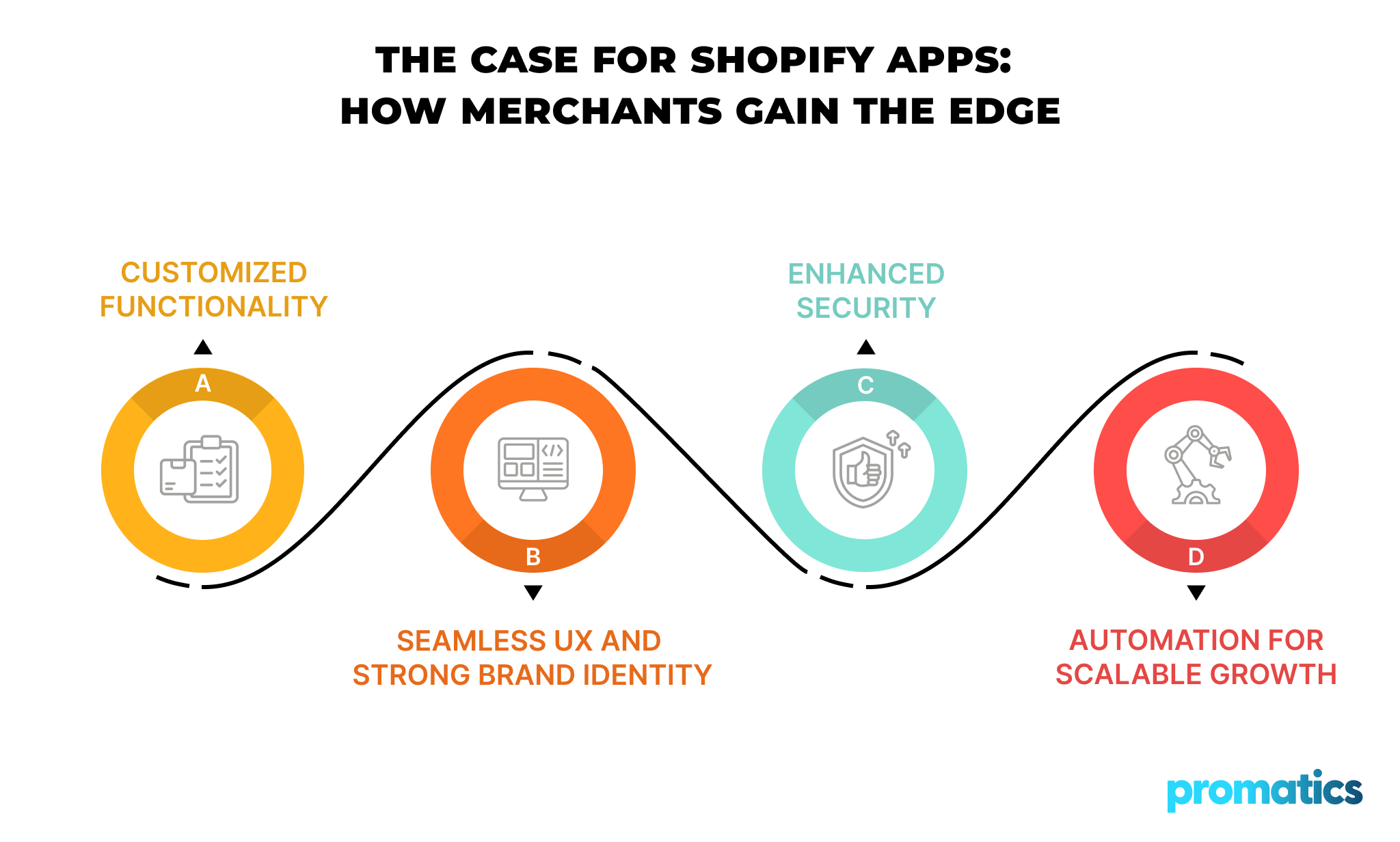
- Custom Features: Your business may need you to add different kinds of features to your online store. This is something you can’t achieve with the normal one-size-fits-all solutions. With the Shopify apps, you can customize your shop theme and add unique features without altering the online store’s source code.
- Better UX and Brand Identity: With plenty of customizable themes, mobile-friendly design options, color schemes, and font layouts, you can design a beautiful and functional UI that represents your brand identity.
- Better Security: Shopify will manage most of the behind-the-scenes security matters so you can focus on selling your products. Shopify’s multi-layer encryption, strict security protocols, and secure payment gateway will keep your business and money safe from malicious cyber attacks.
- Scalability and Automation: As your business grows, the Shopify app will also grow with you. Shopify comes with plenty of plugins and features that will help the app adapt as your business grows to avoid hindering your sales.
Plus, it offers a variety of automation options, such as automated inventory and order processing, to handle manual, repetitive tasks.
2. For Developers
Here’s how Shopify app development can benefit the programmers:
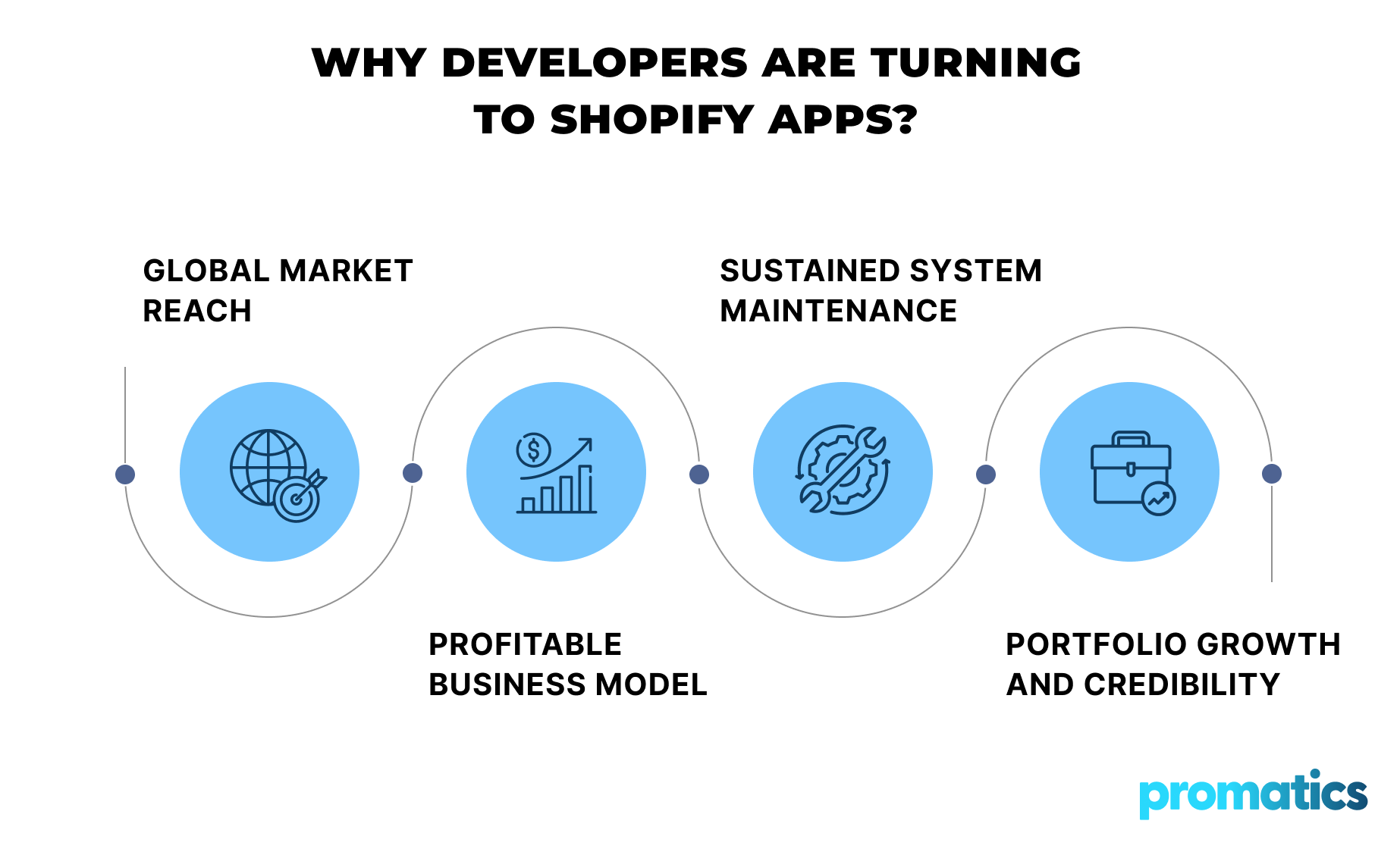
- Access to a Global Market: The internet has over 5.5 million active Shopify stores. By opting to develop Shopify apps, the programmers can reach a huge global market of merchants who are ready to pay for the right kind of app.
- Lucrative Revenue Model: Many Shopify plugins and apps actually work on a monthly subscription basis. As long as you can create a strong enough customer base, the Shopify app you have developed can generate recurring revenue.
- Long-term Maintenance: The Shopify store and app owners often look for capable developers to customize their store, themes, security features, and plugins. Plus, many apps might even need regular maintenance. This gives the developers a long-term, sustainable revenue.
- Portfolio Building and Reputation: Are you new to the app development market? Shopify app development can offer you a great way to build a professional portfolio and reputation, especially if the app you have developed becomes popular among merchants.
What are the Types of Shopify Apps?
1. Public App
Public apps are Shopify apps that developers keep open to all the Shopify merchants. You can further divide the public apps into two separate categories, which are listed and non-listed apps.
The listed apps are available in the Shopify App Store, allowing merchants to purchase and install the apps directly to their Shopify online stores. Meanwhile, the non-listed apps are only available on separate websites or in the developers’ app stores.
2. Custom App
Custom apps are unique Shopify apps that developers create to cater to a specific group of merchants and are not available in the Shopify App Store.
To develop this kind of app, the developers don’t need admin access to the specific Shopify store. However, these apps are often instrumental in expanding your online business to other platforms or adding custom features to your store.
3. Private App
Similar to the custom apps, public apps are also not available in the Shopify App Store. Private apps are created to cater to the specific requests or needs of a single merchant—something the custom apps may not be able to provide.
As a result, to develop and integrate the custom app into the Shopify online store, the external developers may need specific Admin Access to the store’s backend.
4. Draft App
Shopify app development partners use draft apps only for testing purposes throughout their entire development cycle. You can only install them on the development stores. And once you do, it will permanently disable any form of store transfer.
What Technologies Do You Need for Shopify App Development?
Here are the tools and tech stack you must have to get involved in Shopify app development:
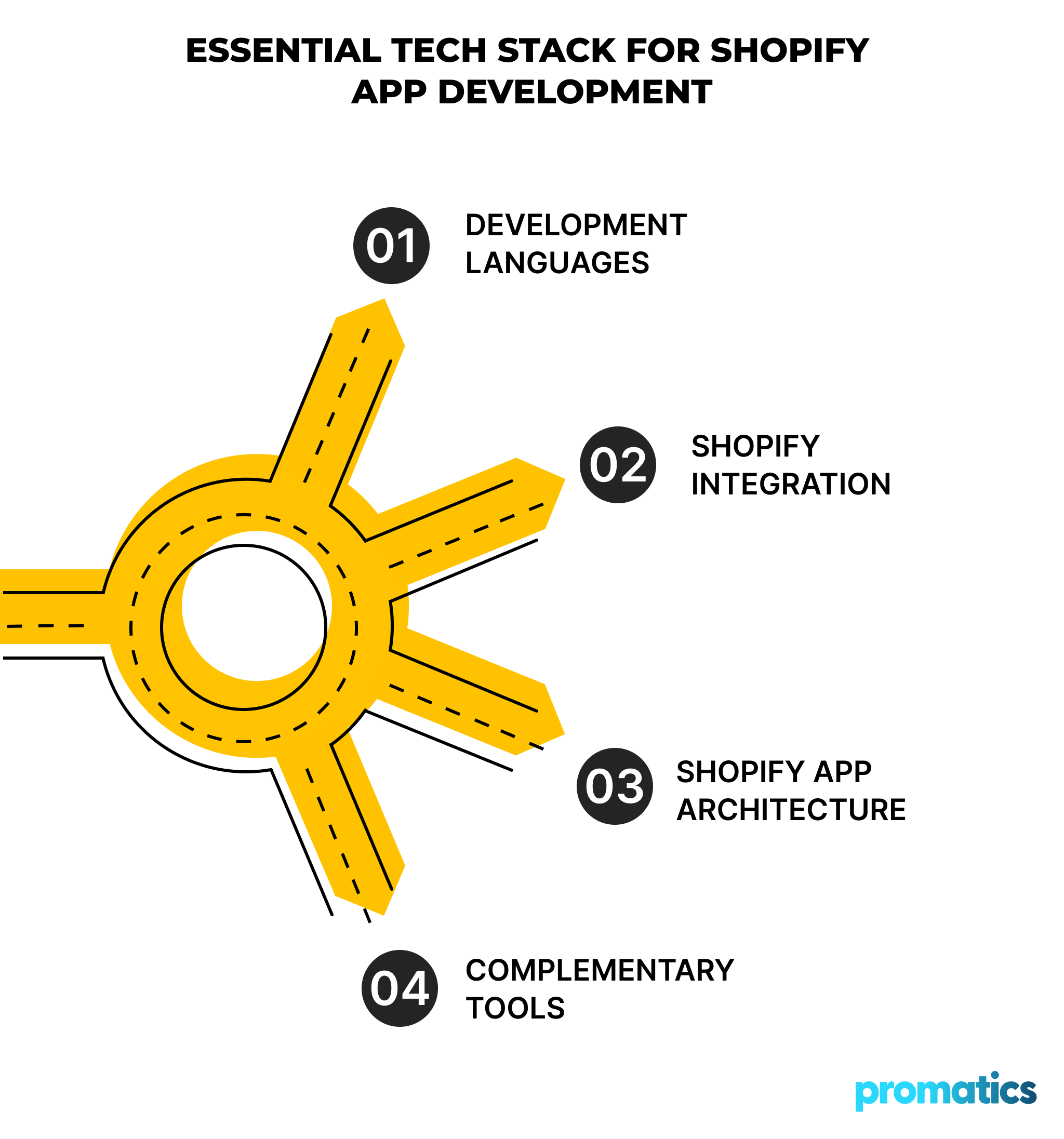
1. Programming Languages
As a Shopify app developer, you need to master the right programming languages to develop apps that fit perfectly with Shopify’s native environment. As of now, most Shopify app developers use two main languages to build apps on this platform.
They are:
- Ruby: The backend of Shopify itself relies on the Ruby programming language, making it an ideal choice to code the backend of your future Shopify apps. If you are planning to develop apps that must be integrated deeply with the online stores, choosing this programming language will be a wise choice.
- JavaScript: It’s an incredibly dynamic and adaptive programming language for front-end development. It will help you create dynamic and interactive UI and several custom tools that update in real-time.
2. Shopify APIs
APIs, in general, allow different software to communicate and work with each other. So, if you want your apps to work with the Shopify online stores and interact with their data, you need to use the Shopify APIs to connect your app to the Shopify system.
You can use the Shopify APIs to handle customer details, orders, check inventory, and manage products in the online stores. You also use it to create unique shopping experiences for the customers.
In short, if you want your Shopify app to connect with the Shopify online stores and work perfectly, you need to work with the Shopify APIs.
3. Shopify App Development Framework
You can think of the Shopify app development frameworks to be the blueprints for the Shopify apps. With them, you don’t have to start from scratch to build your apps.
These frameworks can provide you with prebuilt components that will save you time and effort during the app development process. In other words, they will make building a Shopify app more efficient.
Polaris, React, and Next.js are examples of some of the most popular Shopify app development frameworks that coders often use.
4. Other Development Tools
Apart from the programming languages, frameworks, and Shopify APIs, you will also need several other tools for Shopify app development. These tools include, but are not limited to:
- Shopify CLI: With this tool, you can complete multiple tasks, such as managing themes, building new apps, or working with the APIs, from your terminal. It is the same as having a multi-purpose tool that can help you do various things from one place.
- Git or Other Version Control Systems: Version control systems like Git will help you record, organize, and back up every single change you or others make to your app’s code. This will help you revert your app to an earlier version of it, in case something unexpected happens.
- Local Development Environment: This tool will help you test your app and fix bugs before launching your app in the Shopify App Store. This way, you will get access to an isolated environment, where any changes you make won’t affect the live app, unless you permit it.
What Does the Shopify App Development Process Look Like?
Now that you have a clear idea of every tool and resource you need to build a Shopify app, it’s time to understand what the app-building process looks like.
1. Brainstorming the App Idea and Market Research
First, you need to brainstorm a proper app idea and validate it. It’s the same as how the chefs test their newly created recipes. You need to make sure the app you are trying to create has enough market demand.
To do this, you can check the Shopify App Store and see if it already has similar apps. Check how many merchants are using those apps and their reviews to find the common pain points.
This way, you can understand the merchant’s needs and come up with ideas that people will actually pay for.
2. Creating a Solid Shopify App Development Plan
Once you have a profitable app idea, you must create a foolproof app development plan. To do that, you need to define the scope of the application you want to create.
For example, you need to define:
- The problems you want your app to solve.
- Your app’s main features.
- How you want the customers to perceive your app.
In short, you will be creating an outline of your app’s overall features and structure. This will help you eliminate useless or less useful features and help you focus on the development process.
3. The Coding Process
Next, you need to create the front-end and the back-end of your app using the right programming languages, frameworks, and development tools.
You need to design the UI of your app. This is like a storefront that will help you attract the merchants. After all, as long as you create a good UI, it will help the merchants interact with your app more smoothly and use the features properly.
Meanwhile, you also need to develop the backend of your app well and make sure that the app integrates perfectly with the Shopify APIs. This will allow your app to process data and make the app features work without any glitches.
4. Testing and Quality Assurance
Once you develop the complete app, you need to run it through proper testing. After all, testing apps is akin to testing car models before launching them into the market. It will help you find potential issues with the app and debug them as soon as possible.
As a Shopify app developer, you must test if your app is working well on popular browsers, in the Shopify app store, and on different devices.
This way, you can fix all unexpected app issues and make your app ready for the final launch.
5. Launching the Final App
Once your app goes through all the necessary testing and passes the QA phases, you can launch it on the Shopify app store. In this step, you need to:
- Add your app to the listing.
- Set the prices or the subscription models for your app.
- Make sure that your app follows the Shopify guidelines.
Once it’s done, you can promote your app on the Shopify App Store to attract the merchants who need the service of your app.
6. Post-Launch Support
Launching the Shopify application in the marketplace is only the beginning, not the end. As the app’s developer, you need to monitor the app regularly and see whether it’s working well with the merchants’ online stores.
You must collect feedback, fix bugs, and launch new updates regularly to keep the app up-to-date with the new emerging technologies.
The Cost of Building a Shopify App
Most Shopify apps will only cost you anywhere from $5,000 to $25,000 to create and launch in the Shopify App Store. However, some very complex applications may cost more than $50,000.
The actual cost will depend on how complex your app is and the features you need.
If you need a simple app with a few basic features, it will naturally cost you fewer bucks to build it. However, if you need more than one very complex custom feature, then the price will go up.
Please note that designing UI, coding, testing, and post-launch support phases will cost you money. And on top of that, you also need to put the fees of the Shopify developer into account.
Usually, the more experienced the developer is, the higher the developer fee will be. Plus, you will also have to consider the fees for updating your app or for making any changes in the future.
How to Choose the Right Shopify App Development Partner?
Here are a few factors you need to consider to choose the right Shopify app development partner:
- Experience: You must check if the agency you are planning to hire has the relevant experience in developing Shopify apps. You can check the portfolio of the agency and also check their apps on the Shopify App Store to assess their experience and expertise.
- Skills: Your app development partners should have mastered the technical skills to build a top-class Shopify app. For example, the developers of the agency should have a deep technical background and a good understanding of app design, Shopify API, dev frameworks, and mobile optimization.
- Ongoing Support: A good app development partner should offer regular post-launch support services. This will keep your app up-to-date and prevent it from crashing at the crucial moments.
- Communication: The agency of your choice should respond to your queries quickly and report the development progress regularly. This is the key to ensuring that the final product meets your expectations.
- Reviews and Testimonials: Finally, you need to check the client reviews and testimonials of the agency. If an agency has received a lot of positive reviews from its previous clients, then it’s highly likely that you will be happy with the final app, too.
Conclusion
Shopify is one of the biggest online store platforms in the world, with more than five million active merchants. Every day, hundreds of thousands of merchants buy or subscribe to tons of apps to enjoy features that can help their stores prosper.
These facts make the Shopify app development one of the most lucrative, recurring revenue-generating works for developers across the globe.
As long as you have a good app idea and the right skills, you can also develop a winning app that can become one of your biggest revenue sources.
Do you have a great app idea, but no technical skills?
No worries. You can always work with a good app development partner to build your dream app.
Promatics India is one of the best Shopify app development agencies that has been helping countless people and companies launch their dream apps since 2008.
We are dedicated to helping you develop the custom Shopify app of your choice with the exact features you want at affordable prices.
Get in touch with our experts today to understand how Promatics India can help you build a unique and secure app that aligns perfectly with your business goals.
